Team
Audience
The product and ux team
Scope
Duration
Role
Software Used
The Problem
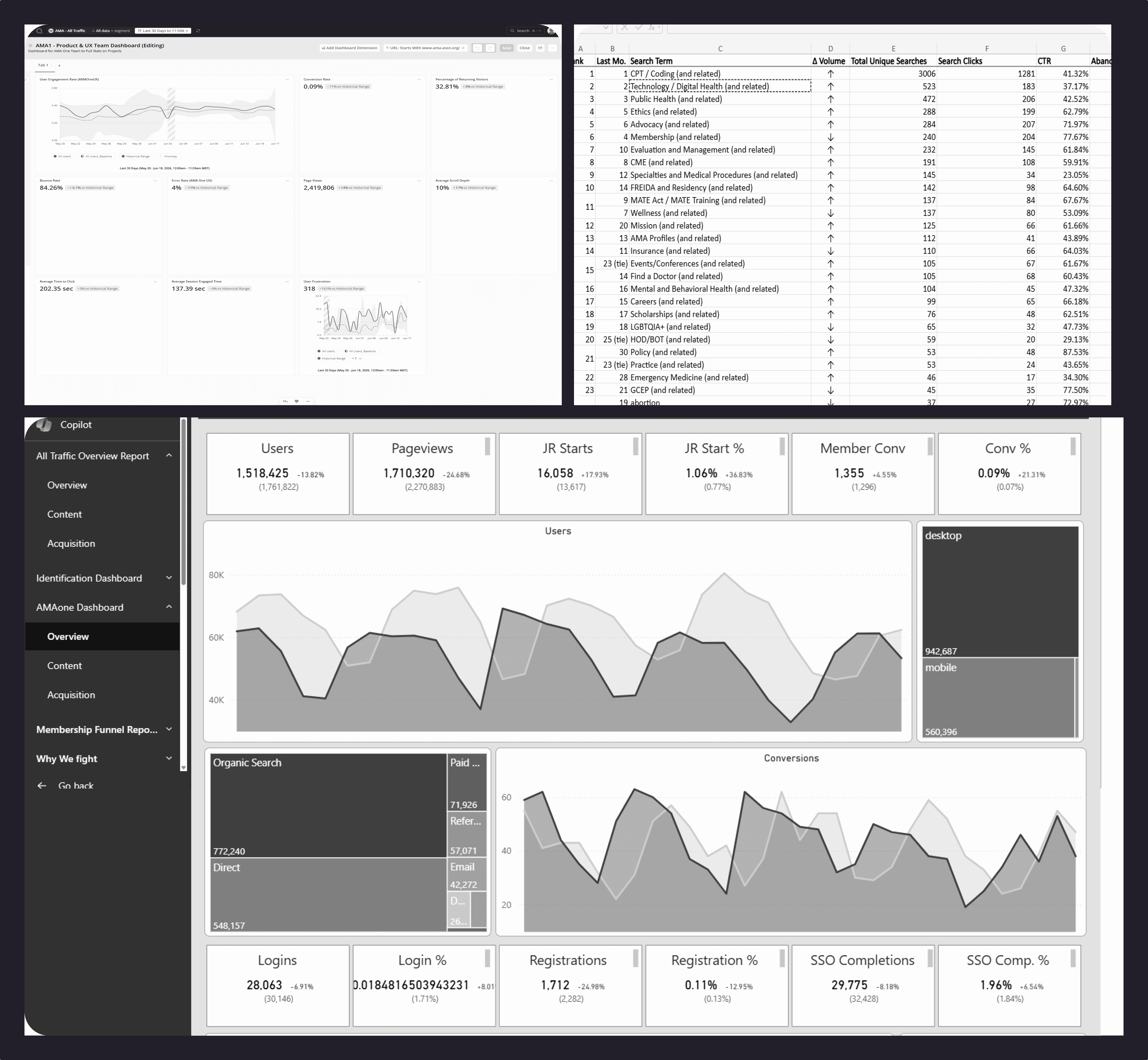
Our UX Design team had no place to see product performance at a glance. Without a shared dashboard, standups, brainstorming meetings, and stakeholder reviews relied on scattered reports, making it difficult to identify which metrics actually drove product decisions. It also made it difficult to remember where we pulled a metric from. We also had to have faith that the product managers and data team would pull the data that was actually useful to us. They usually did, but we needed more user-behavior-centered data that explicitly captured how clinicians interact with content and what they are looking for in real time.
The Approach
I defined priority metrics aligned with business outcomes: conversion rate, error rate, user engagement, and task completion. I filtered out data we couldn’t act on, then mapped each remaining metric to the chart type that best communicated it. User engagement became a trend line. The other data points used single metrics for current status.
The existing Quantum Metric dashboard treated all metrics with equal visual weight, so I rebuilt the components in Figma using our design system. I gave user engagement the spotlight in the top left corner, since this is the metric our team lives by or dies by. I gave conversion rate, returning visitors, bounce rate, and error rate more prominence through larger type, larger cards, left placement, and semantic color tokens. For metrics that displayed time, I changed the unit from seconds to minutes because that’s easier for my team to comprehend.
To capture user intent beyond page views, I added two behavioral modules to the lower half of the dashboard. An article action bar used a horizontal chart to rank actions like print, share, copy, upvote, and save, giving the team a quick view of high-intent interactions. A search intent table surfaced the most common topics, such as CPT, digital health, and public health, so the team could proactively audit our information architecture.

The Outcome
The dashboard never shipped, but I kept the Quantum Metric version as a shared record of the team’s quantitative evidence. When performance reviews came around at the end of the year, it made it much easier for my teammates and me to return to the metrics, remember where they came from, and build a clearer story of our work without pulling it back together from scattered reports.